
How to Place & track orders
Place order
Track order
Delivery time line
Frequently asked questions

To place an order, kindly follow the steps below:
- search for an item you want
- Click on view item to view details or click on the add to cart icon
- Proceed to your cart by clicking on the cart icon top right of your screen
- Complete order by clicking on confirm order
- Proceed to payment
- Complete payment and wait for delivery
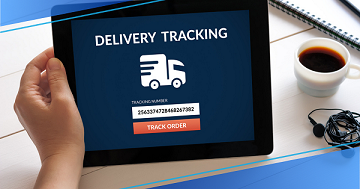
To track your orders kindly follow the steps below
- From your account, click on my orders
- Click on show details on the order you wish to track
- Click on track item button to see the delivery details of your order
Delivery timelines varies with different products. Your order delivery is dependent on immediate availability of product.
You can check the delivery status of the product y tracking it from your account.
How can we be of help?
-
Can i add more than one item to my cart?
Yes! Simply select the item you want to order and add to cart. Search for another and add to cart.
When you are done, head on to your cart to complete your order -
How do i make payments
Payments on Rivicos online store is done on your check out.
Click on your cart, you will see the total due. click on make payment, you can use your card or online transfer to teh account displayed on the screen, to complete your order. -
Can i order items without signing in?
No. You must login for you to be able to add items to your cart. However, you can view the item info.
-
Are prices on Rivicos online store negotiable?
Prices for products are non-negotiable on Rivicos Online store. However, you can communicate with the Admin via whatsapp and establish a transaction.
-
Are there any hidden cost if i order from Rivicos?
All item prices are fixed and no extra charges from Rivicos. However, extra charges such as delivery fee may be charged by the seller